9 min.By Paul RabenCo-Founder & Tech Lead
Where to Start With AI Automation (Before You Pick a Tool)
Most people stay stuck on AI because they can't picture their own use case. This is the exercise that shows you what to automate, which tools already connect to your AI, and whether to build an agent or a workflow.
A founder asked me last week where to start with AI automation. He had ChatGPT open, a paid plan, and no idea what to point it at. That gap is the real blocker for most people, and it is almost never the tools. You can move fast inside a single chat and still have no picture of your own use case.
Before you automate anything, you have to know what you want to automate. The way to find that out is not clever prompting. It is boring on purpose: write down your most annoying repetitive workflows, step by step, note which tools each step touches, and let the AI tell you how to automate it and what to add. This guide walks through that, start to finish, with one example we will carry the whole way.
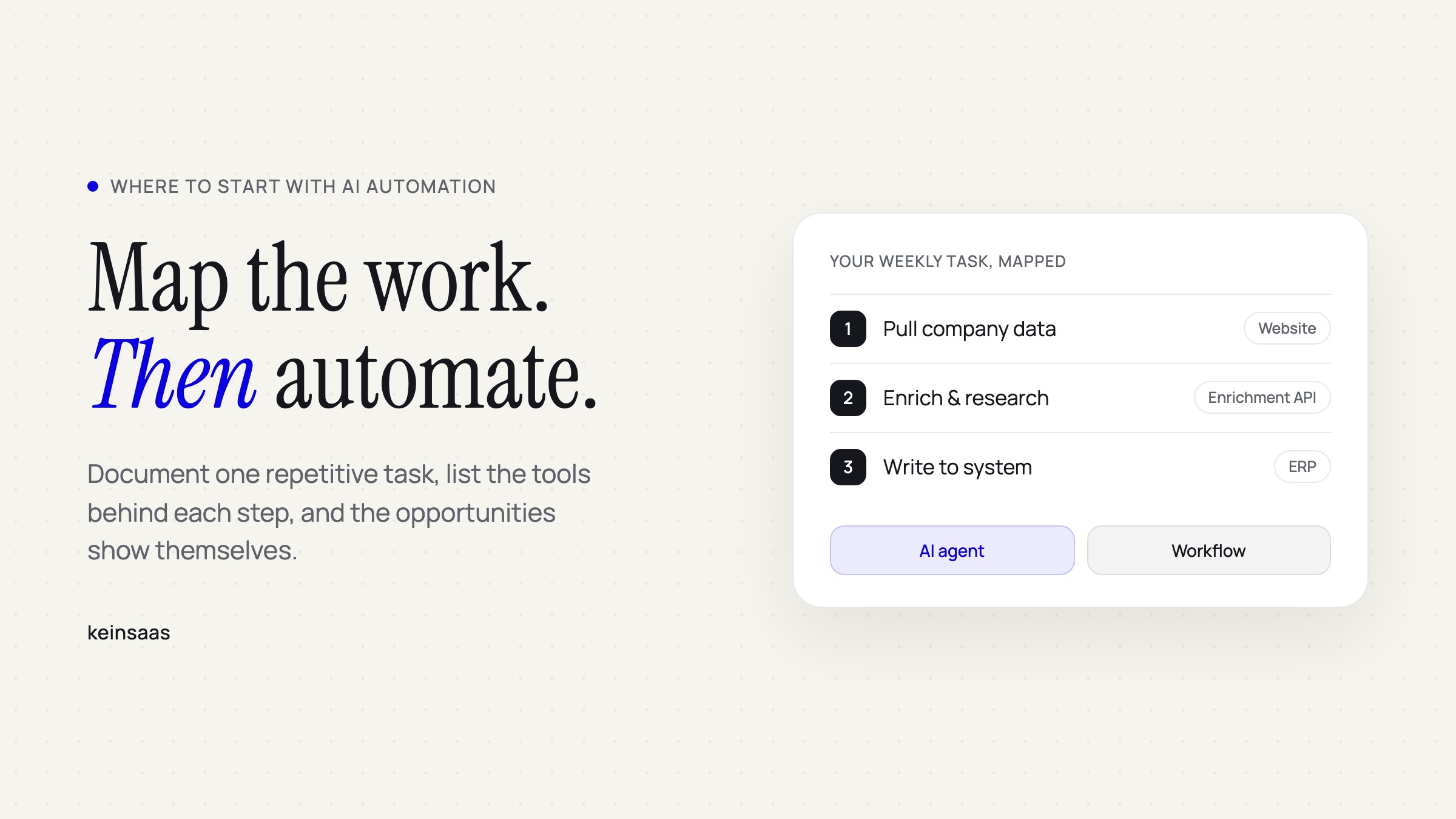
Here is the example. Every Monday you build the same report of last week's new leads. You open your CRM, export the new signups, and for each company you open its website, search around, note the industry, size, and any recent news, paste all of it into a spreadsheet, then write a short summary to your team. It takes about an hour, it is mind-numbing, and you do it again next Monday. Keep that task in your head. We will automate it piece by piece.
Why you feel stuck, and why it isn't the tools
The raw material for automation is already sitting in your week. McKinsey estimates that current generative AI, combined with other technology, could automate work activities that absorb 60 to 70 percent of employees' time. A separate Smartsheet survey found that over 40 percent of workers spend at least a quarter of their week on manual, repetitive work: email, data collection, data entry. The Monday report is exactly that kind of work.
So the tasks are there. What most people lack is the imagination to see them, plus one fact almost nobody acts on: nearly every tool you already use ships with an MCP server, a CLI, or an API you can hand to your AI instead of clicking through it yourself. The steps below turn a vague "AI sounds useful" into a specific thing you can actually build.
Step 1: Write down your most annoying workflow
Pick the task that annoys you most and that you repeat at least weekly. For us, that is the Monday report. Do it once, by hand, and capture every move. You have three easy ways to record it: write it down as you go, record a voice memo while you work, or take a screen recording with a screen recorder, Loom, or the Claude for Chrome extension. A screen recording is the richest option, because the tool watches what you do while you narrate each step out loud.
Then clean it up into numbered steps, and next to each step write the exact tool you touch. Even the ones you know cold. For the Monday report it looks like this:
- Export last week's new leads from the CRM (HubSpot).
- For each company, open its website and search for industry, size, and recent news (browser).
- Paste the details into the tracking sheet (Google Sheets).
- Write a short summary and send it to the team (Slack).
That write-up is your brief. It is the single most useful thing you can bring to an AI, and it took twenty minutes.
Step 2: Hand it to the AI and have a conversation, not a command
Do not paste the steps and say "automate all of this." Automating everything is usually a mistake, and a good AI will push back if you let it. Instead, find the low-hanging fruit first. One quick win gives you a real, fast reward, and that is what carries you into the heavier work later.
Start with a prompt that finds the quick win:
Here is a task I do every week, written out step by step, with the tools I use at each step:
[paste your write-up]

Which one or two steps cost me the most time for the least judgment? Those are what I
should automate first. Explain why, and roughly how much time each would save per week.
For the Monday report, the answer is obvious once it is written out: step 2, researching each company by hand, eats most of the hour. That is the fruit. Now get a plan for it:
Take step 2 from that task. Draft a plan to automate it end to end.
For every tool involved, tell me whether it has an MCP server, a CLI, or an API I can
connect, and how to set each one up. List any extra tools (scraping, enrichment, search)
that would make it simpler, and flag anything I should not fully automate.
Give as much context as you can in these prompts. The rules, the edge cases ("if a company has no website, skip it"), and one finished report as the target. Skip that context and you pay it back later in debugging and re-runs.
Step 3: Find the connector for each tool
Your plan will name tools, some of which you have never heard of. That is normal. A lot of this work runs below the surface on scraping tools, crawlers, agent search, and enrichment APIs that fetch and clean data for you. You do not need to know their names up front. When the AI simplifies "research each company," it surfaces the right category on its own.
To actually give your AI a tool, there are three kinds of connector, in order of preference:
- MCP server. Check the Plugins or Connectors tab in your AI app first. If the tool is not listed, google "[tool name] MCP server". Or use Composio, which bundles connectors for over a thousand tools behind a single connection and routes to the right one, so you are not hunting for each separately.
- CLI. If there is no MCP server, a CLI is the next best thing. A CLI is a command-line tool you install once, and your AI can run it directly to control the service. Just follow the tool's install instructions and the AI handles the rest.
- API. Worst case, hand the AI the tool's API docs and it wires up the calls for you.
For the Monday report: HubSpot and Slack both have MCP servers you can connect in a couple of clicks, and the company research becomes an enrichment API the AI recommends. If you want a starting point, we keep a running list of MCP servers worth connecting.
One rule that is not optional: never paste passwords or API keys straight into the chat. Store them in a vault or secrets manager, and let the tool tell you how to wire them in. The AI will guide you through that safely if you ask.
Agent or workflow: the last decision
Once the task is documented and the tools are connected, you hit a fork. You can automate it with an AI agent that runs on a schedule with a set of skills, or with a deterministic workflow of scripts chained together. They are not the same, and the difference decides how well it holds up.
| AI agent | Deterministic workflow | |
|---|---|---|
| How it decides | Picks its own path, non-deterministic | Fixed path, same every run |
| Output | Varies with interpretation | Identical, strict, repeatable |
| Build effort | Easier and faster to stand up | More setup, more precise |
| Ceiling | Struggles as complexity grows | Scales to complex, multi-step logic |
| Best for | Fuzzy, judgment-heavy tasks | One correct output across a whole team |
| Typical tools | Skills on a schedule | n8n, or coded scripts on a serverless job |
The Monday report wants the exact same shape every week, and eventually every rep on the team runs their own version, so it belongs in a deterministic workflow. If it were a one-off "look into this odd account for me," an agent would be the better fit. You can build workflows in a no-code tool like n8n, or have Claude or your coding agent write the scripts and deploy them on a serverless job. To go deeper, we wrote a full breakdown of when an AI agent beats a workflow, a primer on the difference between automation, agents, and agentic workflows, and a comparison of Zapier vs Make vs n8n.
How to choose in one minute
- Same output required for everyone, every time? Build a workflow.
- Task needs judgment or reads messy, unpredictable input? Start with an agent.
- Not sure it is worth automating at all? Do the time-value math first, then take the smallest quick win.
- Rolling this out across a team? Follow the 3-stage model for AI automation so it survives contact with real work.
Common questions about starting with AI automation
What should I automate first? The most repetitive step with the clearest rules and the lowest risk if it goes wrong. In the Monday report, that is the per-company research. Quick wins build momentum and teach you the tooling before you touch anything critical.
Do I need to know how to code? No. Documenting the task and connecting tools through MCP servers is a conversation. If you land on a deterministic workflow, a coding agent can write and deploy the scripts for you.
What is an MCP server, in plain terms? A standard connector that lets your AI operate a tool directly, instead of you clicking through it. You sign up for the tool, connect it once, and the AI uses it on your behalf.
What if a tool has no MCP server? Use its CLI, a command-line tool you install once that the AI can run directly. If there is no CLI either, hand the AI the API docs.
Is it safe to give AI access to my tools? Yes, if you keep credentials in a vault instead of pasting them into the chat, and connect one tool at a time so you can see what it does.
Start with the workflow, not the tool
The reason people stall on AI is not a missing tool. It is not knowing what to automate. Write down one annoying process, list the tools behind each step, and the opportunities show themselves. The agent-versus-workflow question, the enrichment APIs, the MCP servers, all of that comes after you can actually see the work.
That documenting step is exactly what Navigator is built for. You upload a process you have written out, and it helps you define the precise blueprint, then decide whether to build an agent or a workflow and guides you through it. You can sign up for free.
So before you open another blank chat: what is the one task you did five times last week without thinking about it?

About the author
Paul Raben
Co-Founder & Tech LeadIntegrated AI into products and automated manual work since GPT-2. Worked with several startups and Tech companies until he founded keinsaas to achieve real economic impact for Europe.
Connect on LinkedInWhat's next
Ready to build something that fits your team?
Book a free discovery call and we'll map out where custom AI would meaningfully change your week.
Book a discovery call