How to Use AI More Efficiently: 6 Habits That Cut Token Costs
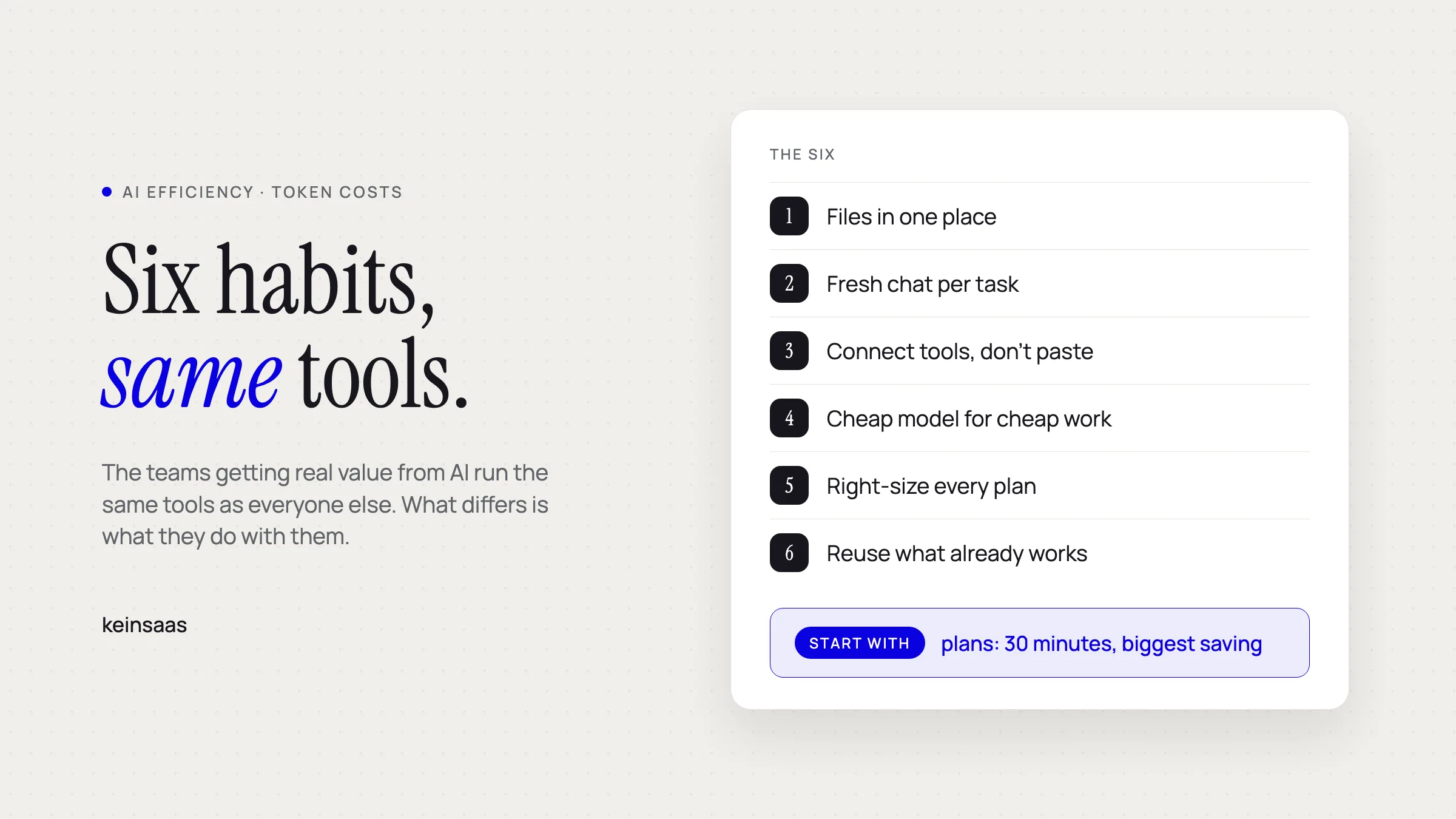
The teams getting real value from AI and the teams just paying for it usually run the same tools. Six habits separate them, and none of them are technical.
I wrote a good part of this from a farmstay in Tuscany, between lunch and the afternoon heat. That is not a productivity brag. It is what happens when AI stops being a slot machine you feed prompts into and turns into a routine you can trust. Learning how to use AI more efficiently is what bought those afternoons, and almost none of it was technical.
The nudge to take it seriously came from the other direction. Big Tech is quietly putting meters on the thing it spent two years selling as unlimited.
Why reducing AI token costs is about to matter more
Because what you pay today is a promotional price. AI tools bill by the token, the unit a model reads and writes, roughly three quarters of a word. Every file you attach, every message still sitting in the thread and every answer you get is tokens, and somebody else is currently covering a good part of that bill for you.
Axios reported in March 2026 that AI may never be as cheap to use as it is today, and that the low-cost consumer subscriptions most of us are on are the most heavily subsidised of the lot. OpenAI is projected to burn 14 billion dollars in 2026. May Habib, CEO of Writer, said it plainly in that piece: "These LLM companies are going to go public and they're going to raise prices because they have to."
Most teams will not see the change coming, because they cannot see what they spend now. In Flexera's 2026 State of ITAM Report, 59% of organisations said their wasted AI spend grew over the past year, and only 31% said they have accurate visibility into the AI software they are paying for.
So the bill is going up while most people cannot see what they already spend. The teams getting real value from AI and the teams just paying for it usually run the same tools. What separates them is habit and awareness. Here are the six that pay off fastest.
1. Keep the files you reuse in one place
Put the documents you reference constantly into a single folder or project so you stop re-uploading them every session. Every major chat app supports this now: ChatGPT Projects, Claude Projects, Gemini Gems, and some version of an attached knowledge base in most workspace tools.
Two things improve. Your team stops losing ten minutes a session hunting for the price list and the tone-of-voice doc. And the model reads a stable set of files instead of whatever someone happened to drag in that morning, so answers stop varying by whoever asked.
It also trims the bill. Anything you paste into a chat gets re-read every time that conversation continues, so dumping the full handbook into a new message is the most expensive way to work with it. Attach it to the project once and refer to it instead.
2. Start a fresh chat when you switch tasks
Long threads make answers worse, not just slower. Chroma tested 18 frontier models, including GPT-4.1, Claude 4, Gemini 2.5 and Qwen3, and found that every one of them degrades as input length grows, even on simple retrieval. The industry calls it context rot. In practice it looks like a model that was sharp an hour ago now confidently answering a question you asked three topics back.
So: new task, new chat. If you are genuinely continuing the same task and the thread has run long, ask for a summary first and paste that into the fresh chat. Every chatbot can produce one. Two lines of instruction, and you have swapped a 40,000-token thread for a 400-token brief.
3. Connect tools instead of making the model do everything
An LLM is good at working with data you hand it and bad at going out to get it. Let other tools fetch. Firecrawl for scraping a website, Tavily for web search, your CRM for customer records, your calendar for availability.
The plumbing for this has a name: MCP, the Model Context Protocol. It is an open standard for how an AI app talks to an outside tool, it belongs to no single company any more (the Linux Foundation looks after it), and every major chat app speaks it. Depending on the vendor you will see the same thing called a plugin, a connector or an integration.
You do not need to build anything. Search your chat app's connector directory, or Google the tool's name plus "MCP" and see whether a server already exists. Most of the time one does. For the longer version of this decision, we wrote about which tools already connect to your AI and where to start.
4. Match the model to the task, not to the brand
Use the small fast model for the little jobs you do all day and keep the expensive one for work where being wrong is costly. Most people do the reverse. They pick the biggest name on the menu, Claude Fable 5 or GPT-5.6 Sol, and run their meeting notes through it. That is overkill for almost everything you do in a day.
The step down costs far less and is usually good enough. Claude Sonnet 5 runs at a fifth of what Fable 5 costs for the same amount of text. OpenAI makes the point about its own line-up more bluntly still: in the GPT-5.6 launch post it says its middle and cheapest tiers, Terra and Luna, beat Anthropic's flagship on a benchmark of long-running professional work "at around one-sixteenth the cost". Summarising a call, drafting a reply, tidying a list: Sonnet, Terra or Luna handle all of it.
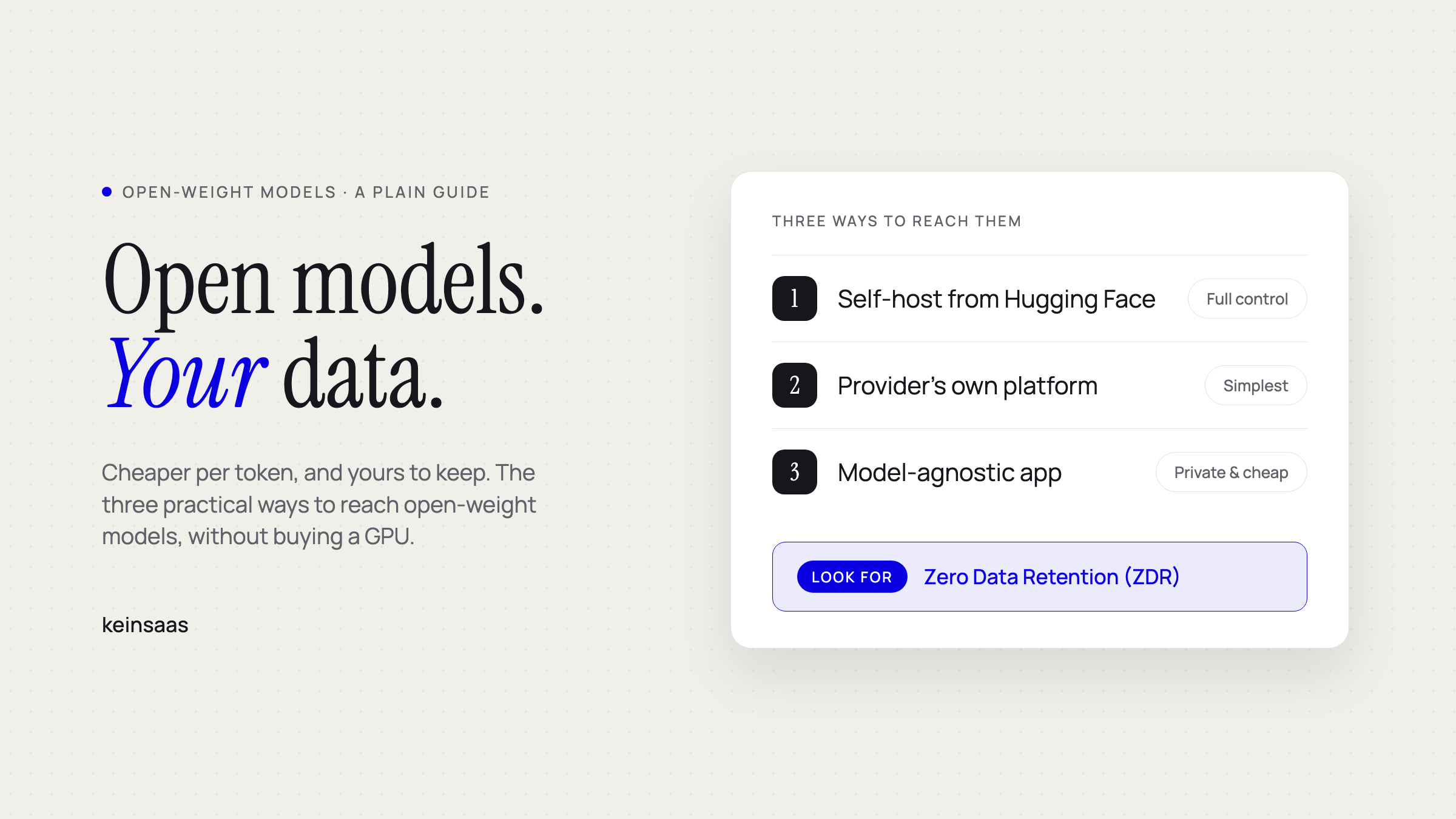
A step below that sits the open-weight tier, which most teams have never looked at. These are models whose weights are published, so anyone is allowed to run them: Kimi K3, Qwen, GLM, DeepSeek. For everyday work they are close enough to the big names that you would have trouble telling, they cost a fraction, and because you decide where they run you can choose a host with zero data retention, which means your prompts are not kept once the answer comes back. Two easy front doors. Put a mixed setup together in Navigator, which sends each task to a local, zero-retention or hyperscale model depending on what that task is worth. Or take OpenCode Go at 10 dollars a month and get the strong open-weight models without touching an API key. The longer guide is here: reaching open-weight models without your own GPU.
Nobody has fully solved automatic routing yet. Navigator does it for some task types, and I still switch by hand more often than I would like. Until routing gets genuinely good, treat model choice as a per-task decision rather than a default someone set once and forgot.
There is a strategic reason to keep switching even when it is mildly annoying. If your whole operation is wired to one big-name model at today's subsidised price, you have no move when that price changes. A second and third option kept live is cheap insurance.
5. Right-size the plan to the person
Match the plan to real usage instead of putting everyone on the most expensive seat. A daily heavy user earns a flat subscription several times over. Someone who touches AI twice a week is cheaper on usage-based pricing, and putting them on a 200-euro seat buys you a line in a spreadsheet, not output.
Pull the usage data your provider already gives you, split the team into heavy, regular and occasional, and price each group separately. It is a 30-minute exercise, and at most companies it is the largest single saving on the table.
6. Reuse what already works
Keep a shared library of the prompts, instructions and settings that deliver, instead of starting from an empty box every time. Most teams have one person whose outputs are noticeably better than everyone else's. That person's prompts are an asset sitting unread in their chat history.
The payoff compounds when someone new joins. Handing a new hire a working set of prompts and a configured workspace on day one is the difference between useful in a week and useful in a quarter. The same goes for tool choices: decide once, write down why, and point new people at the note instead of the debate. Our running comparison of AI workflow automation tools exists for that reason.
Which habit to start with
| Habit | Effort | What it fixes | Start here if |
|---|---|---|---|
| Files in one place | About an hour | Repeat uploads, inconsistent answers | Everyone re-uploads the same PDFs |
| Fresh chat per task | Free | Answers quietly getting worse | Threads run all day |
| Connect tools | Half a day | Manual copy-paste between apps | People paste data into chat by hand |
| Match model to task | Ongoing | Premium rates on routine work | One model does everything |
| Right-size plans | 30 minutes | Paying for seats nobody uses | Everyone sits on the same tier |
| Reuse prompts | Two hours, then ongoing | Slow onboarding, uneven quality | Output quality depends on who asks |
Common questions about using AI more efficiently
What is a token, in plain terms?
A token is the unit an AI model reads and writes, roughly three quarters of a word in English. Providers bill per million tokens, and every file you attach, every message still in the thread and every answer counts. That is why a long conversation costs more than a short one even when your question is identical.
Does a long chat really make answers worse?
Yes. Chroma's context rot study found all 18 models tested became less reliable as input grew, even on tasks as simple as finding a fact inside the text. Opening a new chat when you change topic is the cheapest quality fix available.
How do I know which model to use?
Sort tasks by the cost of being wrong. Extraction, formatting, tagging, first drafts and summaries go to the cheap fast model. Anything headed for a customer, a regulator or an investor goes to the strong one. When you cannot decide, run both once, compare, and write the answer down for the team.
Is a flat subscription or usage-based pricing better?
Flat wins for daily heavy users. Usage-based wins for anyone below roughly two or three sessions a week. Do not guess at it. Every provider exposes usage data, and one honest look usually reassigns half the team.
Do I need a developer to connect tools via MCP?
Not for the common ones. Most chat apps ship a connector directory you pick from, and vendors like Firecrawl, Tavily, Notion and HubSpot publish ready-made servers. You need a developer only when you want to expose your own internal system.
What should I fix first if my AI bill jumped?
Look at seats before you look at prompts. Oversized and unused seats are usually the bigger number and take an afternoon to fix. Then work on thread length and model choice.
The habit underneath all six
Every one of these is the same move: know what you are spending and on what. Most teams have no idea which parts of their AI work are cheap and which are expensive, because for two years it genuinely did not matter. It is starting to matter.
None of it is difficult. Pick one habit, apply it this week, and watch what changes. If you want a workspace where model choice, connected tools and a shared prompt library are the default instead of a discipline, that is what we built Navigator for.
Which of the six is your team already doing without calling it a habit?

Paul Raben
Co-Founder & Tech LeadIntegrated AI into products and automated manual work since GPT-2. Worked with several startups and Tech companies until he founded keinsaas to achieve real economic impact for Europe.
Connect on LinkedInReady to build something that fits your team?
Book a free discovery call and we'll map out where custom AI would meaningfully change your week.
Book a discovery call