The Best AI Workflow Automation Tools in 2026
Honest comparison of the 12 best AI workflow automation tools in 2026. Workflow generators vs no-code builders vs platforms. keinsaas Navigator, Zapier, Make, n8n, Bardeen, Workato and more compared.
Quick Summary
There are now three ways to automate workflows. You can build them manually in a visual editor (Zapier, Make, n8n). You can hire a developer to code them. Or you can describe what you need in plain language and have AI generate the entire automation for you. That third category, workflow generators, did not exist two years ago. It changes everything about how non-technical teams adopt automation.
This guide covers all three categories. We tested 12 tools and compared them on what matters: can a non-technical employee actually go from idea to production automation, and do they own what gets built?
keinsaas Navigator is the first GDPR-compliant workflow generator. Describe what you need in plain language, Navigator builds, tests, and deploys production-grade automations on open-source infrastructure (n8n, Scaleway) that you own. 95% first-attempt success rate. Zapier is the simplest no-code builder for connecting SaaS apps. Make offers the most visual flexibility. n8n is the best open-source execution platform. Workato is the enterprise integration standard. The key question is whether you want to BUILD automations yourself or have AI GENERATE them for you.
Understanding the Stack: Generators vs. Builders vs. Platforms
Before comparing tools, understand where they sit in the automation stack. Most "best automation tools" lists mix categories that are not comparable. A workflow generator is not competing with Zapier any more than a GPS is competing with a car engine. They operate at different layers.
GENERATION LAYER    keinsaas Navigator
        ↓ generates automations that run on ↓
BUILDER LAYER       Zapier, Make, Bardeen, Power Automate
        ↓ connects to and orchestrates ↓
EXECUTION LAYER     n8n, Workato, Tray.io, Scaleway, AWS
keinsaas Navigator sits above traditional automation tools. It generates the workflows. They run them.
Workflow Generators convert natural language into production-ready automations. You describe what you need, the AI builds, tests, fixes, and deploys it. No drag-and-drop, no configuration, no technical knowledge required.
Workflow Builders provide a visual canvas where you manually connect triggers, actions, and conditions. More control, but requires understanding the logic and configuring each step yourself.
Workflow Platforms are the infrastructure layer. They execute and host the automations, handle scheduling, error handling, and scaling. Some are SaaS, some are self-hosted.
Why Listen to Us
We have built 2,000+ automations for companies across DACH, from invoice processing for energy utilities to dealflow pipelines for investment firms. We work with n8n daily, we have tested every tool on this list in production, and we built Navigator because we kept hitting the same wall: non-technical employees wanted automations but could not build them in visual editors, and hiring developers for every workflow was too slow and expensive.
Quick Comparison: Top 12 AI Workflow Automation Tools
| # | Tool | Category | Best For | Pricing | Self-Host | GDPR |
|---|---|---|---|---|---|---|
| 1 | keinsaas Navigator | Generator | Non-technical teams, DACH | From 19 EUR/mo | Yes | Yes, EU |
| 2 | n8n | Platform | Open-source execution | Free self-hosted / from 24 EUR/mo cloud | Yes | Self-host: Yes |
| 3 | Zapier | Builder | Simplest SaaS connector | Free / from 29.99 USD/mo | No | US-hosted |
| 4 | Make (Integromat) | Builder | Visual workflow complexity | Free / from 10.59 USD/mo | No | EU data residency |
| 5 | Bardeen | Builder | Browser-based automation | Free / from 10 USD/mo | No | SOC 2, GDPR |
| 6 | Workato | Platform | Enterprise integration | Custom (enterprise) | No | Configurable |
| 7 | Tray.io | Platform | Enterprise orchestration | Custom (enterprise) | No | Configurable |
| 8 | Power Automate | Builder | Microsoft-native shops | From 15 USD/user/mo | No | Depends on tenant |
| 9 | Activepieces | Platform | Open-source Zapier alternative | Free self-hosted / cloud plans | Yes | Self-host: Yes |
| 10 | Relay.app | Builder | Human-in-the-loop AI workflows | Free / from 32 USD/mo | No | Limited |
| 11 | Pipedream | Platform | Developer-first, code + visual | Free / from 29 USD/mo | No | US-hosted |
| 12 | IFTTT | Builder | Simple personal automations | Free / from 3.49 USD/mo | No | US-hosted |
1. keinsaas Navigator — The AI That Builds Your Automations For You
Workflow Generator
Pricing: Simple from 19 EUR/mo, Complex from 399 EUR/mo HQ: Berlin / Tallinn
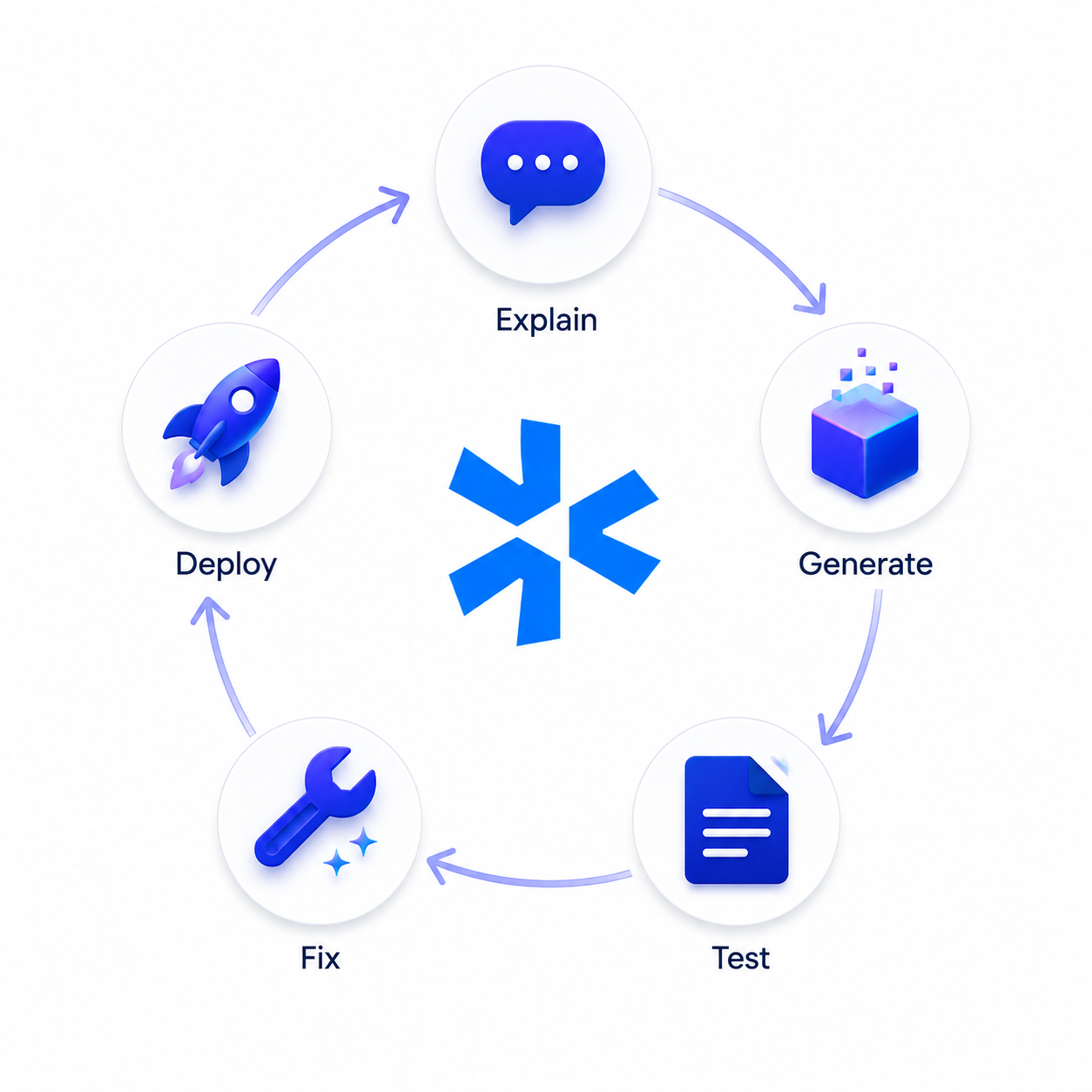
Navigator does not help you build automations. It builds them for you. Describe what you need in plain language ("When a new invoice arrives in Gmail, extract the line items, validate against our supplier list in Supabase, generate an Excel per commodity, upload to Google Drive, and notify the finance team in Slack"), and Navigator generates the complete production-ready workflow through its Build-Test-Fix loop.
The critical difference from every other tool on this list: the automations Navigator generates run on open-source infrastructure (n8n, Scaleway) that you own. Cancel keinsaas, and your automations keep running. That is not possible with Zapier, Make, or any SaaS builder where your workflows are locked to their platform.
How it works:
- You describe the automation in plain language or voice.
- Navigator generates the workflow (nodes, connections, logic, error handling).
- It tests the workflow against real data.
- If tests fail, it fixes the issues automatically (the "Fix" in Build-Test-Fix).
- It deploys the production-ready automation to your n8n instance or Scaleway.
Key features: 95% first-attempt success rate on automation generation. Model-agnostic (uses the best LLM for each generation task). Outputs run on n8n (open-source) or Scaleway (EU cloud). GDPR-compliant, EU-hosted, no data used for model training. You own every automation generated. LLM Access from 8 EUR/month. Workflow execution from 19 EUR (simple) to 399 EUR (complex).
Pros:
- Non-technical employees can create production automations
- You own every automation (runs on your infrastructure)
- 95% first-attempt success rate
- Only GDPR-compliant workflow generator on the market
- Cancel anytime, automations keep running
Cons:
- Newer product, smaller user base than Zapier/Make
- Complex automations still benefit from expert review
- Requires n8n or Scaleway as execution layer
Best for: Teams that want automation but lack technical resources to build workflows manually. Companies that need GDPR compliance and data ownership. Organizations tired of per-seat SaaS pricing traps where canceling means losing all your automations.
2. n8n — The Best Open-Source Workflow Execution Platform
Execution Platform
Pricing: Free (self-hosted) / from 24 EUR/mo (cloud)
n8n is the execution engine where Navigator-generated automations run. It is also a powerful standalone visual workflow builder for technical teams. Open-source, self-hostable, and infinitely extensible with custom JavaScript/Python nodes.
The visual editor is excellent for developers and technically skilled users. The learning curve for non-technical employees is steep, which is exactly the problem Navigator solves by generating the workflows and deploying them to n8n automatically.
n8n self-hosted gives you complete data sovereignty. Nothing leaves your servers. The cloud version (n8n Cloud) is convenient but runs on external infrastructure.
Pros:
- Fully open-source, self-hostable
- 400+ integrations, unlimited extensibility
- Code and visual builder combined
- Active community and ecosystem
Cons:
- Steep learning curve for non-developers
- Self-hosting requires DevOps knowledge
- Error handling and debugging requires technical skill
Best for: Technical teams that want full control over their automation infrastructure. The ideal execution layer for Navigator-generated workflows.
3. Zapier — The Simplest Way to Connect SaaS Apps
Workflow Builder
Pricing: Free (limited) / from 29.99 USD/mo
Zapier is the most well-known automation tool for a reason: it is genuinely simple. Connect a trigger ("new row in Google Sheets") to an action ("create contact in HubSpot") and you have an automation running in minutes. 7,000+ app integrations make it the broadest connector on the market.
The limitation is depth. Zapier handles linear, step-by-step automations well. Complex branching logic, error handling, loops, and API transformations hit the ceiling quickly. Multi-step Zaps get expensive fast (pricing is per-task, and tasks add up).
Your workflows live on Zapier's servers. Cancel, and they stop.
Pros:
- Simplest setup, lowest learning curve
- 7,000+ app integrations
- Good for simple, linear automations
Cons:
- Per-task pricing scales expensively
- Limited complexity (branching, loops, error handling)
- US-hosted, no self-hosting, you lose workflows if you cancel
Best for: Non-technical individuals who need simple app-to-app connections and are comfortable with per-task SaaS pricing.
4. Make (formerly Integromat) — Visual Workflow Builder With Real Depth
Workflow Builder
Pricing: Free / from 10.59 USD/mo
Make is what you move to when Zapier's linear model hits its limits. The visual editor allows branching paths, parallel execution, routers, aggregators, and complex data transformations. It feels more like a visual programming environment than a simple connector.
Make offers EU data residency, which is a real advantage for GDPR-sensitive organizations. Pricing is operation-based, which can be more cost-effective than Zapier for high-volume automations, but harder to predict.
Pros:
- Most visually flexible builder on the market
- EU data residency available
- Better value than Zapier for complex workflows
Cons:
- Steeper learning curve than Zapier
- Operation-based pricing is unpredictable
- Not open-source, cannot self-host
Best for: Teams that have outgrown Zapier and need more visual control over complex, branching workflows.
5. Bardeen — Browser-Based Automation With AI Playbooks
Workflow Builder
Pricing: Free (200 credits/mo) / Pro from 10-20 USD/mo
Bardeen operates inside your browser as a Chrome extension. It automates browser-based tasks like web scraping, form filling, LinkedIn data extraction, and CRM updates. It includes an AI playbook builder where you describe a task in natural language and Bardeen generates the automation steps.
The AI generation is limited to browser-based tasks, not production backend workflows. Think of Bardeen as personal productivity automation (scrape this page, push to Sheets, send a Slack), not enterprise workflow infrastructure. The credit-based pricing scales with volume, and browser-dependent automations break when websites change their interface.
Pros:
- Very easy to start (browser extension)
- AI playbook builder from natural language
- Good free tier (200 credits/month)
Cons:
- Browser-dependent (breaks when sites change)
- Not suitable for backend/production workflows
- Credit-based pricing is unpredictable at scale
Best for: Individual users automating repetitive browser tasks like lead scraping, data entry, and CRM updates.
6. Workato — Enterprise Integration and Automation Platform
Execution Platform
Pricing: Custom enterprise
Workato is the enterprise standard for complex, cross-system integrations. It handles ERP-to-CRM, data warehouse syncs, approval workflows, and multi-step business processes that connect dozens of enterprise systems. Strong governance, audit trails, and role-based access controls.
Not designed for small teams or simple automations. Pricing is enterprise-only (expect five figures annually). The power is in handling enterprise integration complexity that tools like Zapier and Make cannot touch.
Pros:
- Enterprise-grade governance and audit trails
- Deep ERP, CRM, and data warehouse connectors
Cons:
- Enterprise pricing (five figures+)
- Overkill for SME teams
- Not self-hostable
7. Tray.io — Enterprise Workflow Orchestration
Execution Platform
Pricing: Custom enterprise
Tray.io is similar to Workato in scope: enterprise integration and orchestration for complex, multi-system workflows. It differentiates with a visual builder that gives more flexibility for custom logic, API calls, and data transformations than Workato's more opinionated approach.
Like Workato, pricing is enterprise-only. The platform is powerful but requires dedicated ops or engineering resources to build and maintain workflows.
Pros:
- Flexible visual builder for complex logic
- Strong API and custom connector support
Cons:
- Enterprise pricing
- Requires technical resources to operate
8. Microsoft Power Automate — Automation for Microsoft Shops
Workflow Builder
Pricing: From 15 USD/user/mo
If your company runs on Microsoft 365, Power Automate is the default choice. It connects natively to Teams, SharePoint, Outlook, Excel, Dynamics 365, and the broader Microsoft ecosystem. Desktop flows handle RPA (screen clicks, legacy app automation). Cloud flows handle SaaS connections. The AI Copilot can generate simple flows from natural language, though the output quality is inconsistent for complex scenarios.
Pros:
- Native Microsoft 365 integration
- Desktop + cloud flows combined
Cons:
- Locked to Microsoft ecosystem
- Complex pricing tiers
- Not open-source, no self-hosting
9. Activepieces — Open-Source Zapier Alternative
Execution Platform
Pricing: Free (self-hosted) / cloud plans available
Activepieces is an open-source, self-hostable automation platform that positions itself as the Zapier alternative for teams that want data ownership. Clean visual editor, growing integration library, and the ability to add custom pieces (connectors). Younger than n8n with a smaller ecosystem, but developing fast.
Pros:
- Open-source and self-hostable
- Clean, modern visual editor
Cons:
- Smaller integration library than n8n
- Younger community and ecosystem
10. Relay.app — Human-in-the-Loop AI Workflows
Workflow Builder
Pricing: Free / from 32 USD/mo
Relay differentiates with human-in-the-loop steps: workflows that pause for human review or approval before proceeding. Useful for AI-generated content that needs a human check before sending, or approval workflows where a manager signs off before the automation continues.
11. Pipedream — Developer-First Automation
Execution Platform
Pricing: Free / from 29 USD/mo
Pipedream is built for developers who want to write Node.js or Python inside a visual workflow. It bridges code-first and visual approaches. Generous free tier with 10,000 invocations/month. Strong for technical teams that want both code flexibility and visual orchestration.
12. IFTTT — The Simplest Personal Automation
Workflow Builder
Pricing: Free / from 3.49 USD/mo
IFTTT is the original "If This Then That" connector. Simple, single-trigger, single-action automations. Good for personal use (smart home, social media cross-posting) but not suitable for business workflow automation. Included here because it is still widely searched, but teams looking for production automation should look at the tools above.
How to Start With Automations: A Practical Guide
If your team has never automated a workflow before, here is the fastest path to your first production automation:
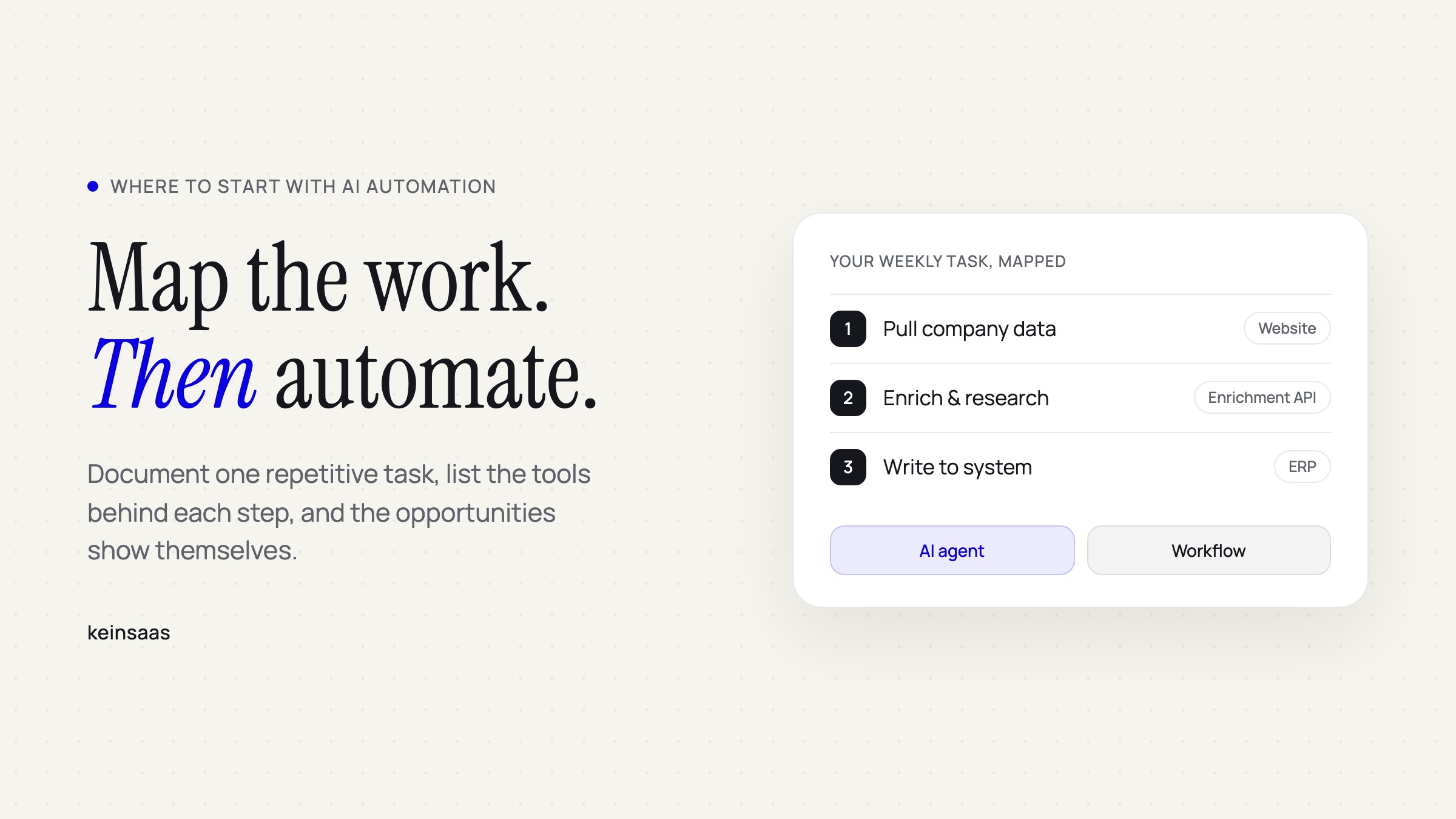
Step 1: Find the pain. Ask your team: "What do you do every day that follows a predictable pattern?" Common answers: moving data from emails to spreadsheets, sending notifications when something changes, generating reports from multiple sources, updating CRM records after meetings.
Step 2: Choose your approach. If you have a developer on the team, n8n is the most flexible starting point. If you want the simplest drag-and-drop, start with Zapier or Make. If nobody on the team is technical and you need production-grade results, use keinsaas Navigator to generate the automation from a plain language description.
Step 3: Start small. Do not automate your entire business on day one. Pick one workflow, get it running, prove the value, then expand. Most companies see ROI within the first week when they automate their most repetitive daily task.
Step 4: Think about ownership. Before you build 50 automations on a SaaS platform, ask: what happens if we cancel? With Zapier and Make, everything stops. With n8n and Navigator, you own the automations. They keep running on your infrastructure regardless of what happens to the vendor.
Describe It. Navigator Builds It. You Own It.
keinsaas Navigator turns plain language into production-grade automations that run on your infrastructure. No coding, no drag-and-drop, no vendor lock-in. GDPR-compliant, EU-hosted.
Generate Your First Automation
Frequently Asked Questions
What is a workflow generator?
A workflow generator converts natural language descriptions into production-ready automations. You describe what you need, the AI builds, tests, and deploys the workflow. keinsaas Navigator is the first GDPR-compliant workflow generator that outputs automations running on open-source infrastructure (n8n) you own.
How do I start with automations?
Start by identifying your most repetitive manual task, something your team does daily that follows a predictable pattern. Then choose your approach: use a workflow generator like Navigator to describe the automation in plain language, or use a visual builder like Zapier/Make to connect tools manually. For teams without technical resources, a workflow generator is the fastest path.
What is the difference between a workflow generator and a workflow builder?
A workflow builder (Zapier, Make, n8n) provides a visual canvas where you manually configure each step. A workflow generator (Navigator) sits above these tools. You describe what you want in plain language, and it generates the complete workflow, tests it, fixes errors, and deploys it. Generators are the AI layer, builders are the execution layer.
Can I own my automations instead of renting them?
With most SaaS tools (Zapier, Make, Workato), your workflows are locked to their platform. Cancel, and they stop. With keinsaas Navigator, every automation is generated as an open-source workflow on n8n or your own infrastructure. You own the code, the data, and the automation. Cancel keinsaas, and everything keeps running.
Which workflow automation tools are GDPR-compliant?
n8n (self-hosted) gives full GDPR control. keinsaas Navigator generates GDPR-compliant automations on EU infrastructure. Make offers EU data residency. Zapier processes data through US servers by default. Workato and Tray.io are primarily US-hosted. Always verify where execution data is processed.
Is Zapier or Make better for business automation?
Zapier is simpler and has more integrations (7,000+). Make is more flexible for complex, branching workflows and often cheaper at volume. For production business automation with data ownership and GDPR compliance, neither is ideal because you do not own the workflows. Navigator generates automations that run on infrastructure you control.
Related: Best Enterprise AI Workspace Platforms 2026 · keinsaas Navigator

Hagen Rothmann
Co-Founder & Commercial LeadWith his first company, Coconaut.uk, he started automating processes in production and logistics early on. Today, he is driven by the question of how companies can handle recurring work more efficiently, autonomously, and at scale.
Connect on LinkedInReady to build something that fits your team?
Book a free discovery call and we'll map out where custom AI would meaningfully change your week.
Book a discovery call